

Our Verdict
For most first-time budgeters, a simple notebook or spreadsheet builds stronger money awareness in the early weeks, while apps become more practical once you have a clearer sense of your own spending categories. Either way, the goal is the same: knowing where your money goes so you can make deliberate choices about it.
| Best for | Recommended |
|---|---|
| Students who want to build spending awareness from scratch | Hand-tracking (notebook or paper) |
| Students with busy schedules who need low-effort logging | Budgeting app |
| Students who want full control over categories and layout | Spreadsheet |
| Students unsure which method fits them | Start with hand-tracking for 2–4 weeks, then reassess |
Why the Tracking Method You Choose Actually Matters
Budgeting advice almost always focuses on what to track — income, fixed bills, discretionary spending. Far less attention goes to how you track it, even though that choice determines whether you keep the habit at all.
If you're new to managing money, start with our guide to student budgeting from scratch before committing to any tracking system. Once you understand the core concepts, matching the right tool to your habits becomes much easier.
The three main approaches — writing by hand, using a spreadsheet, and using a dedicated app — each carry real trade-offs around effort, insight, and consistency. This comparison breaks them down honestly so you can choose based on your actual routine, not just what sounds most convenient.
Hand-Tracking: Slow, Deliberate, and Surprisingly Effective
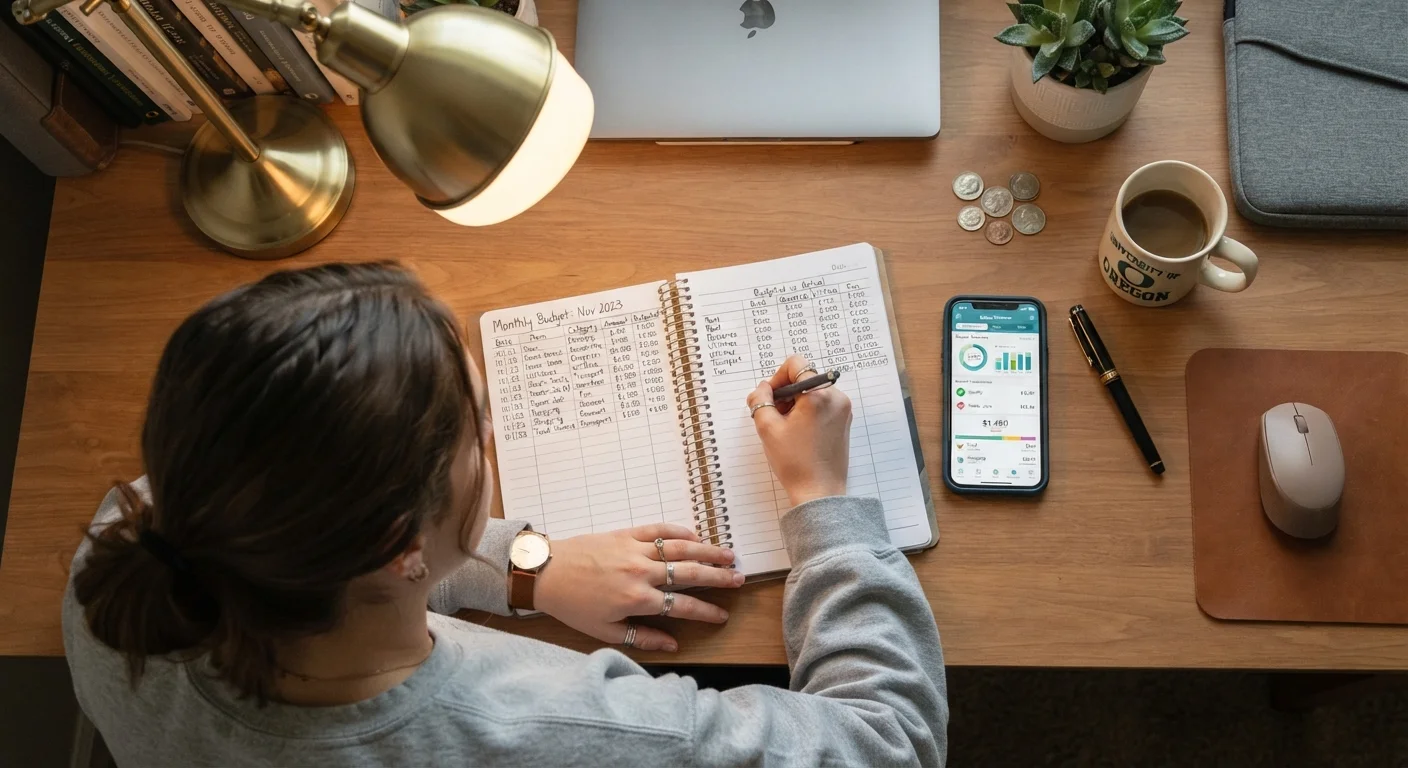
Writing down every purchase in a notebook forces a pause that digital tools skip entirely. That friction is often cited by personal finance educators as one reason hand-tracking builds stronger spending awareness early on — you notice patterns simply by having to record them.
The main drawbacks are time and math. Totaling categories manually is prone to errors, and there's no automatic data import from your bank. If you miss a few days, catching up feels like a chore.
Hand-tracking tends to work best for students who:
- Are in the first one to four weeks of budgeting and want to build awareness deliberately
- Spend mostly in cash or a small number of categories
- Find phone notifications distracting or prefer a screen-free routine
For a practical framework to pair with hand-tracking, see the step-by-step monthly budget walkthrough.
Try Hand-Tracking for Just Two Weeks
Even if you plan to switch to an app later, spending two weeks recording purchases by hand can reveal surprising patterns — impulse buys, forgotten subscriptions, or daily habits you underestimated. That baseline awareness makes every other tracking method more useful. Keep it simple: date, amount, and one-word category is enough.
Spreadsheets: The Middle Ground Worth Considering
A basic spreadsheet — whether in Google Sheets or a similar free tool — combines the intentionality of manual entry with the accuracy of automated math. You still type in each transaction, which keeps you engaged, but the totals calculate themselves and you can build in visual summaries with minimal effort.
Spreadsheets are especially useful if your spending categories don't match what a pre-built app offers. Students with irregular income (freelance gigs, varying work hours) often find custom spreadsheets easier to adapt than fixed app templates.
The learning curve is low for basic use, though building a more polished tracker does take an initial hour or two of setup. Free templates are widely available from university financial aid offices and nonprofit financial literacy organizations, which can shorten that setup considerably.
| Hand-Tracking | Spreadsheet | Budgeting App | |
|---|---|---|---|
| Setup time | None — start immediately | 1–2 hours for basic template | 15–30 minutes to connect accounts |
| Daily effort | High — write every transaction | Medium — type every transaction | Low — auto-imports most transactions |
| Spending awareness built | High — deliberate recording | Medium-high — still manual entry | Low-medium — easy to skim |
| Flexibility for custom categories | Total — you design it | High — fully customizable | Limited — preset categories |
| Error risk | Higher — math done by hand | Low — formulas calculate totals | Low — automated data pull |
| Privacy considerations | None — fully offline | Minimal — local or cloud file | Requires bank account linking |
| Best for | Building early awareness | Custom or irregular budgets | Busy schedules, many transactions |
Budgeting Apps: Convenient, But Not Automatically Useful
Dedicated budgeting apps can link directly to bank accounts, automatically categorize transactions, and send alerts when you approach a spending limit. For a student juggling classes, a part-time job, and social spending, that automation genuinely reduces the barrier to tracking.
The risk is passivity. When an app does most of the work, it's easy to glance at summaries without engaging with them. Studies on financial behavior suggest that simply having a tool doesn't change spending — acting on the information it provides does.
Apps also raise a practical consideration: linking a bank account to a third-party service means sharing financial data with that platform. Reading the privacy policy of any app before connecting your accounts is a reasonable precaution.
Data Sharing With Third-Party Apps
Connecting a budgeting app to your bank account involves sharing your financial credentials or read-only account access with a third-party company. Review the app's privacy policy before linking any accounts, and check whether it uses read-only access or stores login credentials. When in doubt, a spreadsheet or notebook achieves the same tracking goal with no data-sharing risk.
Once you've settled on a method, the habits you build around it matter more than the tool itself. The article on habits that keep a student budget on track covers exactly this.
Choosing What Fits Your Actual Habits
The most important question isn't which method is objectively best — it's which one you will realistically use three weeks from now. Consider:
- How often do you check your phone vs. a notebook? Your existing habits are easier to build on than new ones.
- How many transactions do you make weekly? Fewer than ten favors manual methods; more than twenty makes automation valuable.
- Do you want more awareness or more convenience? These goals genuinely point toward different tools.
If you're still deciding between broader budgeting philosophies — not just tracking tools — the approaches to budgeting for different student lifestyles article walks through several well-established frameworks. And if you're curious how the paper-versus-digital question plays out in academic planning too, the analogue vs. digital planning comparison offers a useful parallel perspective.
This article is for general informational and educational purposes only. It does not constitute personalized financial advice. For guidance specific to your financial situation, consider speaking with a qualified financial adviser or your institution's financial aid office.
The content provided on our blog site traverses numerous categories, offering readers valuable and practical information. Readers can use the editorial team’s research and data to gain more insights into their topics of interest. However, they are requested not to treat the articles as conclusive. The website team cannot be held responsible for differences in data or inaccuracies found across other platforms. Please also note that the site might also miss out on various schemes and offers available that the readers may find more beneficial than the ones we cover.